[NEW Sketch] Maze_Walk1 – Navigate Through a Maze

Description of Sketch
Sparki will navigate between the lines of a maze trying to complete the path from a start point to the exit. The code is designed to navigate by trial-and-error so you may see different results each time you run the program. It is a work in progress. :slight_smile:

Sparki Components Utilized
IR Sensors; Wheels; LCD

Sparki.h and Sparki.cpp Version Dependencies
None

Notes
This is a simple maze following sketch that navigates between the lines of a printed maze pattern. It does not ride on the lines nor have the logic to actually learn the best maze path to follow. Hopefully, others will improve on what I started.

Be sure to press the reset button on Sparki if you lift him off the maze grid, or if he doesn’t start moving when powered on, so that the program restarts when you put him down.

You can download a PDF file for the printed maze I created to test this program from here: dropbox.com/s/gy5m2pju3a26l … t-Maze.pdf . There are 9 pages that can be printed on standard U.S. letterhead or A4 sheets; trimmed so the lines align; and then taped together. [edited 2014-02-25]

Lastly, please note that the format of this forum post follows a standard for user contributed software that I proposed here: Sparki Code Sharing Post

[code]
//
// Maze_Walk1 - Navigate through a black line matrix on floor
// by 8-Bits ~ Update: 20140222
//

#include <Sparki.h> // include the sparki library

void setup() {
sparki.servo(SERVO_CENTER); // center the servo just to look good

}

int do180 = false; // toggle double 90 turn
void loop() {

int lineLeft = sparki.lineLeft(); // save left IR sensor reading
int lineCenter = sparki.lineCenter(); // save center IR sensor reading
int lineRight = sparki.lineRight(); // save right IR sensor reading
int threshold = 700;

if ( lineLeft < threshold && lineRight < threshold ) { // if line detected by left & right sensors
sparki.moveBackward(2); // take a step back
sparki.moveRight(90); // try turning very sharp to the right
if (do180 == true) { // don’t get boxed in
do180 = false;
sparki.moveBackward(2) ; // take another step back
sparki.moveRight(90);
} else {
do180 = true;}

} else {
if ( lineCenter < threshold && lineLeft < threshold ) { // if line detected by center & left sensors
sparki.moveBackward(2); // take a step back
sparki.moveLeft(30); // try turning sharp to the left

  } else {
         if ( lineCenter < threshold && lineRight < threshold ) {  // if line detected by center & right sensors
            sparki.moveBackward(2);                                //   take a step back                 
            sparki.moveRight(30);                                  //   try turning sharp to the right 

         } else {
                if ( lineLeft < threshold ) {                      // if line detected by left sensor
                   sparki.moveRight(15);                           //   turn away to the right

                } else {
                       if ( lineRight < threshold ) {              // if line detected by right sensor
                          sparki.moveLeft(15);                     //   turn away to the left
                       }
                }
         }
  }

}

sparki.moveForward(); // else move forward

sparki.clearLCD(); // clear the screen
sparki.println();

sparki.print("Line Left: ");
sparki.println(lineLeft);

sparki.print("Line Center: ");
sparki.println(lineCenter);

sparki.print("Line Right: ");
sparki.println(lineRight);

sparki.println();
sparki.updateLCD(); // display last sensor data used

delay(100); // wait 0.1 seconds
}[/code]

Have Fun!
Hi John,
Good job, rather an escapist, isn’t he…
Thanks,
Dirk

[quote=“dirk”]Hi John,
Good job, rather an escapist, isn’t he…
Thanks,
Dirk[/quote]
Thanks Dirk,

I made a few changes to the code above (date 2014222) to improve on that.

It may be that the maze needs to be enlarged to allow space for multiple turns. I’ve also found that the maze printout needs to be on a hard floor surface for the light to reflect properly.

John,
Could you pls tell me how you did create the maze, like in which program ? I only have so much enlargement on the printer.
I’m usually on Mac, but have PC.
Thx, Dirk

[quote=“dirk”]John,
Could you pls tell me how you did create the maze, like in which program ? I only have so much enlargement on the printer.
I’m usually on Mac, but have PC.
Thx, Dirk[/quote]
I took the original single page maze that I created with a drawing program (MS Publisher); brought that image file into Photoshop and using the cropping tool created the 4 quadrants (4 x 8" x 8" pages); and printed each to a separate file. Then I created a single PDF file with the original composite and 4 page printouts.

You should be able to print the 4 pages on any standard printer and tape them into a single sheet (approx, 16" x 16").

Thanks John, I don’t have all those but will find an other path to get the enlarging flexibility.

I put a jpeg image file of the composite on Dropbox ( dropbox.com/s/o5n8vo1n318g3 … t-Maze.jpg ) which you may be able to bring into one of the standard Apple graphics programs to enlarge and section into multiple 8.5 x 11" pages.

Edit: Here is a free on-line service that will enlarge the jpeg file and create the multiple letterhead or A4 sheets you need: blockposters.com/

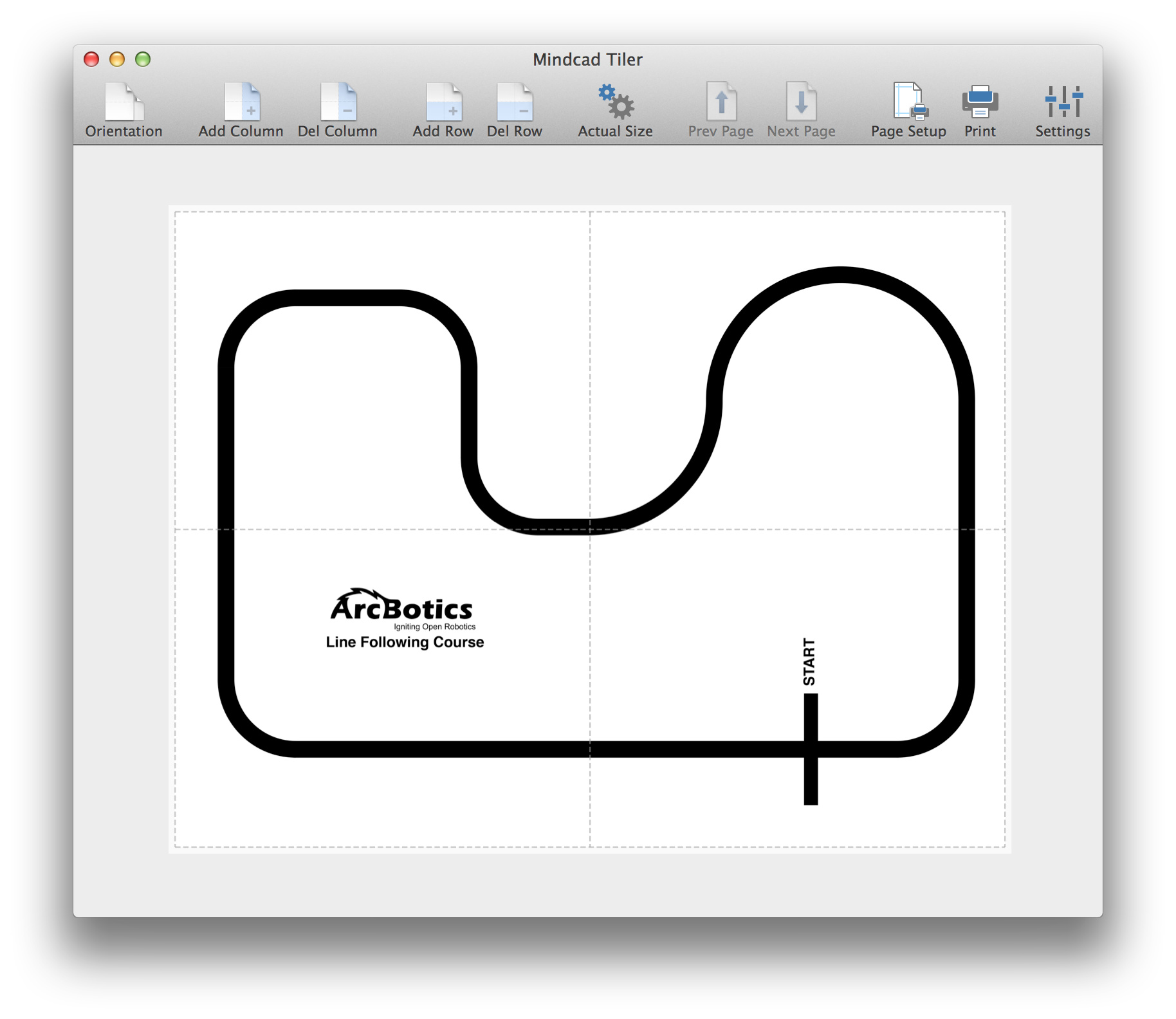
For Mac users, there is a great app on the Mac app store called Mindcad Tiler. What it does is let you take a PDF file and blow it up into as many printable pages as you need to. Highly recommended for printing Sparki mazes/lines as well as lots of other uses. I already owned it because we’d used it to make a tri-fold poster.


Hi John. Thanks for the code. I uploaded it & had a play. Great job. I found the same issues with Sparki trying to escape & if I’m honest, he always came back out the start gate.

I made some very basic changes to your code, utilising the edge sensors for one section instead of the middle left & right ones. It works perfectly for me now. The only problem/issue is that now the gap between the 2 sides of a path has to be wider than Sparki.

Anyway, here’s the code & thanks for sharing yours, because I’d never have been able to write it from scratch.

[code]//
// Maze_Walk1 - Navigate through a black line matrix on floor
// by 8-Bits ~ Update: 20140222
// Updated by Trevor - 24th Feb 2014 to utilise edge sensors for lines 43 - 49.

#include <Sparki.h> // include the sparki library

void setup() {
sparki.servo(SERVO_CENTER); // center the servo just to look good

}

boolean do180 = false; // toggle double 90 turn
void loop() {

int edgeLeft = sparki.edgeLeft(); // save left IR sensor reading
int edgeRight = sparki.edgeRight();
int lineLeft = sparki.lineLeft(); // save left IR sensor reading
int lineCenter = sparki.lineCenter(); // save center IR sensor reading
int lineRight = sparki.lineRight(); // save right IR sensor reading
int threshold = 600;

if ( lineLeft < threshold && lineRight < threshold ) { // if line detected by left & right sensors
sparki.moveBackward(2); // take a step back
sparki.moveRight(90); // try turning very sharp to the right
if (do180 == true) { // don’t get boxed in
do180 = false;
sparki.moveBackward(2) ; // take another step back
sparki.moveRight(90);
} else {
do180 = true;}

} else {
if ( lineCenter < threshold && lineLeft < threshold ) { // if line detected by center & left sensors
sparki.moveBackward(2); // take a step back
sparki.moveRight(30); // try turning sharp to the left

  } else {
         if ( lineCenter < threshold && lineRight < threshold ) {  // if line detected by center & right sensors
            sparki.moveBackward(2);                                //   take a step back                 
            sparki.moveLeft(30);                                  //   try turning sharp to the right 

         } else {
                if ( edgeLeft < threshold ) {                      // if line detected by left sensor
                   sparki.moveRight(15);                           //   turn away to the right

                } else {
                       if ( edgeRight < threshold ) {              // if line detected by right sensor
                          sparki.moveLeft(15);                     //   turn away to the left
                       }
                }
         }
  }

}

sparki.moveForward(); // else move forward

sparki.clearLCD(); // clear the screen
sparki.println();

sparki.print("Edge Left: ");
sparki.println(edgeLeft);

sparki.print("Edge Right: ");
sparki.println(edgeRight);

sparki.print("Line Left: ");
sparki.println(lineLeft);

sparki.print("Line Center: ");
sparki.println(lineCenter);

sparki.print("Line Right: ");
sparki.println(lineRight);

sparki.println();
sparki.updateLCD(); // display last sensor data used

delay(100); // wait 0.1 seconds
}[/code]

Good suggestion! I think the maze path width was always an issue and I printed a 24" x 24" (60cm x 60cm) version of my original test maze and it works nicely with your change.

Thanks,

hey guys,

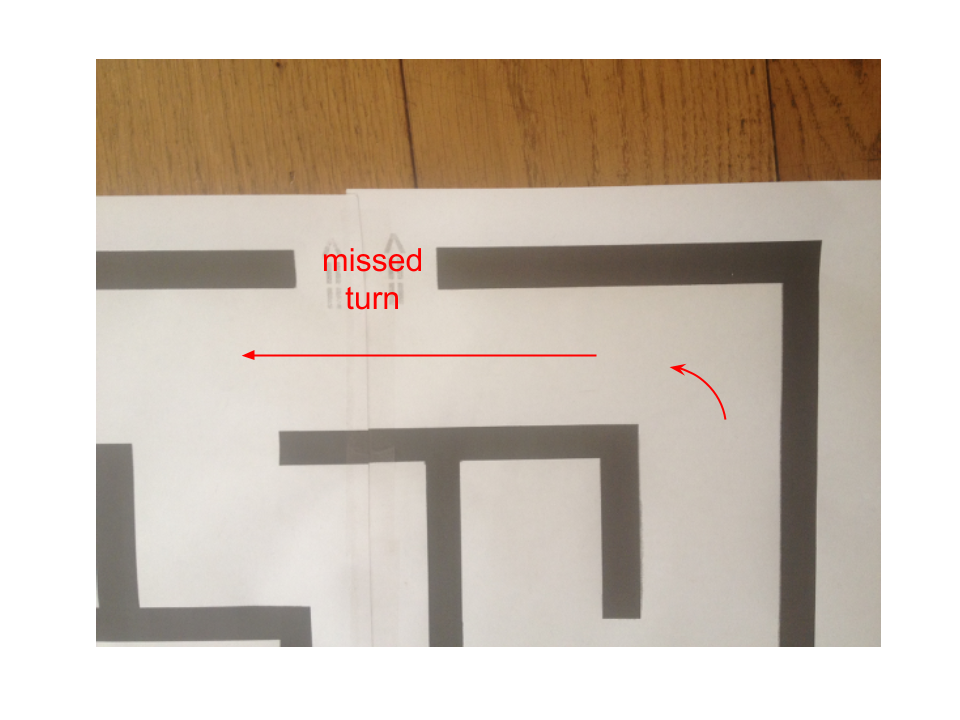
This is another iteration on 8-Bits and Trevor’s work. There is an issue with Sparki not finding the exit point on the enlarged printed maze (thanks 8-bits for that):

When Sparki is moving in straight lines - he will obviously miss potential turns. In the specific maze that 8-bits created that is exactly the case. The same missed turn will happen multiple times since it is a dead straight pathway so no reason for Sparki to make any adjustments…


Suggested solution:

I modified Trevor’s code and added a timer that will cause Sparki to re-check if there was any wall hitting in the last X seconds. If not - a Zig Zag walk approach is being performed, hopefully hitting the missed turns.

This is (to say the least) not an optimal approach. More “brain” could be easily added to Sparki.

Please review my code - any suggestion / enhancement is appreciated :slight_smile:

//
// Maze_Walk1 - Navigate through a black line matrix on floor
//   by 8-Bits  ~  Update: 20140222
// Updated by Trevor - 24th Feb 2014 to utilise edge sensors for lines 43 - 49.
// Updated by bitboy - 2nd March 2014 help Sparki avoid straight line movements in order to not miss exit points

#include <Sparki.h>                       // include the sparki library

#include "Timer.h"

Timer t;

//we want to avoid driving in a straight line
//because we might miss a turn
int STRAIGHT_LINE_TEST_INTERVAL = 5000;  //wait time between tests (in milliseconds)
int  ZIG_ZAG_ANGLE = 30;
//a state flag that indicates if Sparki hit a wall during the last STRAIGHT_LINE_TEST_INTERVAL milliseconds
boolean isHitWall = false;
//this var will oscillate between 2 values:  -1 and +1 in order to move in zig zag angles
int hitWallDirection = 1; 

void setup() {
 sparki.servo(SERVO_CENTER);              // center the servo just to look good
 t.every(STRAIGHT_LINE_TEST_INTERVAL, avoidStraightLines);
}

boolean do180 = false;                        // toggle double 90 turn 
void loop() {
 int edgeLeft = sparki.edgeLeft();        // save left IR sensor reading
 int edgeRight = sparki.edgeRight();
 int lineLeft = sparki.lineLeft();        // save left IR sensor reading
 int lineCenter = sparki.lineCenter();    // save center IR sensor reading
 int lineRight = sparki.lineRight();      // save right IR sensor reading
 int threshold = 600;
 
 isHitWall = true;   //we set the state to true until proven otherwise
 
 if ( lineLeft < threshold && lineRight < threshold ) {        // if line detected by left & right sensors
    sparki.moveBackward(2);                                    //   take a step back
    sparki.moveRight(90);                                      //   try turning very sharp to the right
    if (do180 == true) {                                       //   don't get boxed in  
      do180 = false;
      sparki.moveBackward(2) ;                                 //   take another step back
      sparki.moveRight(90); 
      } else {
        do180 = true;}                                  
    
 } else {
      if ( lineCenter < threshold && lineLeft < threshold ) {  // if line detected by center & left sensors
         sparki.moveBackward(2);                               //   take a step back
         sparki.moveRight(30);                                  //   try turning sharp to the left

      } else {
             if ( lineCenter < threshold && lineRight < threshold ) {  // if line detected by center & right sensors
                sparki.moveBackward(2);                                //   take a step back                 
                sparki.moveLeft(30);                                  //   try turning sharp to the right 

             } else {
                    if ( edgeLeft < threshold ) {                      // if line detected by left sensor
                       sparki.moveRight(15);                           //   turn away to the right

                    } else {
                           if ( edgeRight < threshold ) {              // if line detected by right sensor
                              sparki.moveLeft(15);                     //   turn away to the left
                           
                         }else{
                             //if we reach here - it is very likely the Sparki did not hit anything
                             isHitWall = false;
                           }
                    }
             }
      }
}

 sparki.moveForward();                    // else move forward

 sparki.clearLCD();                       // clear the screen
 sparki.println();

 sparki.print("Edge Left: ");
 sparki.println(edgeLeft);
 
 sparki.print("Edge Right: ");
 sparki.println(edgeRight);
 
 sparki.print("Line Left: ");
 sparki.println(lineLeft);

 sparki.print("Line Center: ");
 sparki.println(lineCenter);

 sparki.print("Line Right: ");
 sparki.println(lineRight);

 sparki.println();
 sparki.updateLCD();                     // display last sensor data used
 
 t.update();

 delay(100);                             // wait 0.1 seconds
}

void avoidStraightLines(){
  if(!isHitWall){
    sparki.beep();  //notify when straight line fix is happening
    if(hitWallDirection>0){
      sparki.moveRight(ZIG_ZAG_ANGLE);  //hit hard one of the walls in order to perform zig zag walks
    }else{
      sparki.moveLeft(ZIG_ZAG_ANGLE);  //hit hard one of the walls in order to perform zig zag walks
    }
    hitWallDirection = hitWallDirection * -1;
  }
}